
Digital art has nowadays become a vital element of illustration, animation, graphic design, and other creative spheres. With the growing trend of switching from traditional art techniques to digital ones, it becomes crucial to select a suitable device to enhance precision and productivity in creative work.
When searching for the best tablet for drawing, people often come across a large variety of devices, from standalone tablets and professional pen displays to budget-friendly tablets for beginners. Nevertheless, the choice should be determined by several criteria.
The best choice for drawing devices should offer a smooth pen glide, pressure sensitivity, easy-to-use viewing, and good compatibility with creative software.
What Is a Drawing Tablet and Why Do Artists Need One?
A drawing tablet is a digital tool that enables people to draw using a pen rather than using other traditional means such as pencils, brushes, or markers. It works by converting hand movement to digital input to enable the artist to create drawings, sketches, animations, and designs in creative programs.
Professional drawing devices differ from ordinary tablets in that they are designed for creating drawings and are equipped with better accuracy, latency, sensitivity, and control over digital brushes.
Before choosing the best tablet for drawing, users should understand the main types of devices available today.
Standalone Drawing Tablets
Stand-alone drawing tablets have their own operating system and do not need to be connected to any other computer. The device is capable of running drawing software on its own, and therefore is useful for mobile users who require portability.
Flexibility is perhaps the most significant advantage of stand-alone devices. Artists can work from wherever they please; in a studio, in the classroom, and even while traveling. Stand-alone devices are ideal for sketching and concept development.
Yet, stand-alone drawing devices may lack functionality compared to professional setups used on the computer.
Drawing Display Tablets
Drawing display tablets are those that are connected to a computer and through which artists can draw on the screen itself. These types of drawing boards are very popularly used by professional artists since they give a more natural way of drawing that is close to conventional drawing.
Such boards generally have large screens, better color reproduction, and improved control.For professionals looking for the best tablet for drawing, a high-quality drawing display is often one of the preferred choices.
Screenless Drawing Tablets
A screenless tablet tends to be less expensive than other kinds of tablets and requires that users draw using the tablet screen while observing the output on a computer monitor.
Despite being challenging to use at first, they are quite popular amongst beginners because of their affordability and ease of use. They are also used by many professionals due to their precision.
Best Tablet for Drawing: 10 Top Picks in 2026
The best tablet for drawing is different for every user. Some artists prioritize portability, while others focus on screen size, color accuracy, or professional performance. The following ten options represent different categories and user needs.
1. iPad Pro — Best Overall Performance Choice
One of the most preferred devices for digital art creation by artists is the iPad Pro, as it comes with excellent hardware, screen quality, and software.
In addition to having Apple Pencil support, the device allows users to draw efficiently due to its responsive input capabilities. The device can be used for illustration, digital painting, and designing using apps like Procreate.
The most notable feature of the device is flexibility because users can draw and at the same time do other activities on the device.
Best for:
· Professional illustrators
· Freelance designers
· Mobile creators
2. Wacom Cintiq Pro — Professional Industry Solution
There have been years that Wacom Cintiq Pro has been acknowledged by the professional artistic world. This device has been made specifically for artists who need accuracy and performance from their pens.
The series focuses on detailed drawing experiences, making it suitable for animation production, game development, and commercial illustration. Its professional features help artists maintain consistency during long working sessions.
For users searching for the best tablet for drawing for professional projects, Wacom Cintiq Pro remains a reliable option.
Best for:
· Professional artists
· Animation designers
· Creative studios
3. XPPen Artist Pro 27 (Gen 2) — Large Screen Professional Display
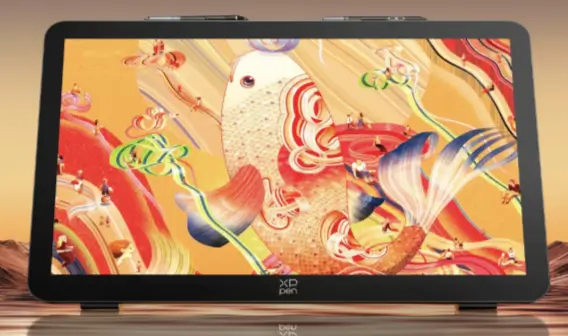
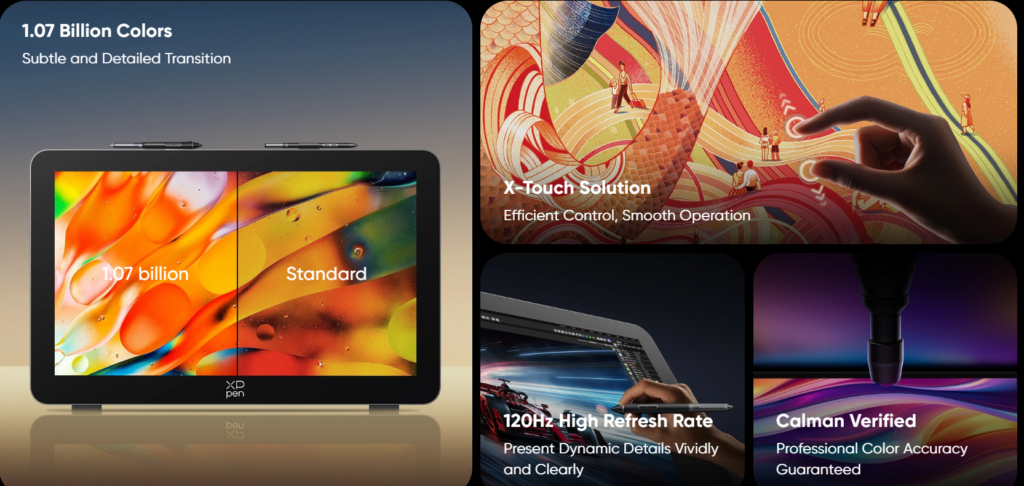
For creators who need a larger working area, XPPen Artist Pro 27 (Gen 2) is a strong example of a professional drawing display.
It features a 27-inch 4K Ultra HD display with a 120Hz refresh rate and supports 1.07 billion colors, allowing artists to view smoother gradients and more detailed color transitions. The ADS-IPS technology provides a 178° viewing angle, helping maintain consistent image quality when working from different positions.
The device also includes the X-Touch solution and dual stylus support, providing flexible control for illustration, concept design, and large-scale artwork.
Best for:
· Professional illustrators
· Visual designers
· Large artwork creators
4. iPad Air — Balanced Choice for Beginners
iPad Air is a good compromise between performance, portability, and price. It has sufficient speed for most sketching apps while being lighter and less expensive than pro devices.
For novices in digital drawing, it is an easy tool to train their illustrative skills without spending money on expensive tools.
It can also be used by students, who need a device both for creative and academic work.
Best for:
· Beginners
· Students
· Hobby artists
5. Samsung Galaxy Tab S Series — Best Android Option
Samsung’s Galaxy Tab S series offers a good option for users who enjoy using Android phones. The inclusion of the S Pen and superior display allows the user to draw without problems.
The strength of the product lies in its flexibility, which enables the user to blend all sorts of activities into one device.
Although the creative software ecosystem differs from Apple products, it remains a practical option for Android users.
Best for:
· Android creators
· Mobile artists
· Casual designers
See also: Orlando Business Law Attorney: Legal Guidance for Growing Businesses in Central Florida
6. Huion Kamvas Series — Best Value Drawing Display
Huion Kamvas series is aimed at those customers who would like to enjoy screen drawing but do not want to spend too much money on it.
This product range offers various screen options, which allows choosing it depending on your place of work and budget.
It will be convenient for illustration, painting, and designing.
For those students and beginners who wish to buy a better tablet than the one they currently have, Huion Kamvas is an excellent choice.
Best for:
· Students
· Budget-conscious artists
· Beginner designers
7. GAOMON PD Series — Affordable Entry-Level Option
GAOMON PD series is dedicated to offering basic functions for drawing that will allow users to develop their skills in digital art creation.
As they offer pressure sensitivity and convenient work zones, they can be used for sketching and for completing easy design tasks.
However, they do not have the necessary power for working in professional studios, but they offer sufficient power for beginners.
Best for:
· New artists
· Students
· Affordable creative setups
8. Microsoft Surface Pro — Best Hybrid Device
Microsoft Surface Pro has the portability features of a tablet and desktop software capabilities. This is possible because of the Windows operating system, which enables the use of professional programs like Photoshop and Illustrator, among others.
It will suit designers since they will use only one device for both creativity and productivity. It is good for those people who move from task to task.
Best for:
· Freelance designers
· Business users
· Multi-purpose creators
9. Wacom One — Beginner Learning Device
Wacom One can be used by people looking for an easy and effective entry into digital drawing.
The Wacom One offers consistent pen functionality and compatibility with most creative applications, thus making it suitable for learning basic drawing skills.
For beginners looking for a trustworthy manufacturer without any complex professional specifications, this could be a great start.
Best for:
· New digital artists
· Art students
· Casual creators
10. Lenovo Tab Series — Everyday Creative Tablet
Versatility is the hallmark of the Lenovo Tab series; they combine entertainment features, productivity capabilities, and creativity tools.
Some devices accept stylus input and can be used for basic drawing, note-taking, and creative planning. They are not meant for professional artwork, but serve their purpose well enough for everyday users.
If you are looking for a multifunctional tablet with some drawing capabilities, the Lenovo Tab series may be right for you.
Best for:
· Students
· Casual creators
· Everyday users
How to Choose the Best Tablet for Drawing?
Choosing the best tablet for drawing requires considering several technical factors instead of focusing only on price or brand.
Screen Size and Resolution
Screen size is also one of the factors that can influence comfort and performance.
Small tablets with screen sizes from 10 to 13 inches can be easily carried, while medium sizes of 16 to 22 inches offer the most comfortable work surface for most designers. Large screens like 27-inch screens are good for complicated artworks.
Another important factor is the resolution, which includes 4K screens.
Color Accuracy
For professional creators, color performance is one of the most important considerations.
A quality drawing tablet should provide:
· Wide color coverage
· Stable color consistency
· Accurate brightness levels
These features are especially important for branding, printing, animation, and commercial illustration.
Software Compatibility
Before purchasing the best tablet for drawing, users should confirm whether it supports their preferred applications.
Common creative software includes:
· Adobe Photoshop
· Adobe Illustrator
· Clip Studio Paint
· Procreate
A device that matches the artist’s workflow will provide better long-term value.
Conclusion
The best tablet for drawing does not necessarily have to be one that costs a lot of money. Choosing the appropriate one varies from person to person and depends on his/her goals, habits, budget, and application.
Novices may prefer low-priced and user-friendly equipment, whereas experts will need advanced monitors, precise color rendering, and performance. Designers must also take into account the issue of compatibility and their work needs in the future.
There are plenty of choices for an artist in 2026. By knowing about display technology and the features of the stylus, everyone can find an appropriate drawing tablet.


 By
By